Gyzer Partner Documentation
Welcome to the Gyzer Partner documentation. This site covers the Partner API and widget integration for external partners.
The Gyzer Widget
The Gyzer widget is an embeddable interface that lets your users deposit fiat to receive crypto (USDC, USDT, etc.) and withdraw crypto to fiat. It handles KYC verification (SumSub), wallet management, and bank account linking—all within your app’s flow.
Embed Widget (Pre-Authenticated)
The Embed widget is the recommended integration when you already onboard users. You authenticate them on your side, then call our Partner API to get a short-lived token and embed the widget in an iframe. Users see a seamless deposit/withdraw experience without leaving your app.
How it works:
- Your backend calls
POST /partners/user-tokenwith the user’sexternal_user_id,email, and optionallyphone. - You receive a token and
widget_url(embed URL). - You render an iframe with that URL on your page.
- The widget loads, exchanges the token for a session, and shows the deposit/withdraw UI.
For verified US users, if no phone was provided up front, Gyzer collects the US phone number after SumSub KYC is approved and before DTR account creation resumes.
See the Embed Widget Guide for integration steps, or the Widget Installation Guide for the full guide including registration and activation.
Embed Widget Screenshots
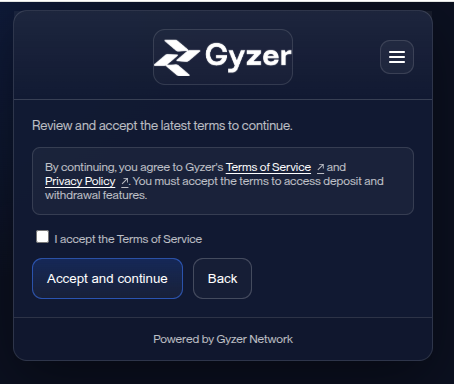
Terms acceptance: user accepts terms before continuing.
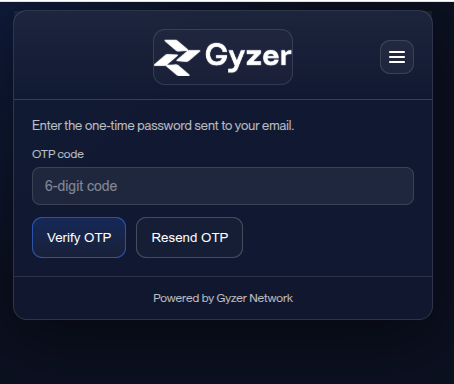
Session OTP: user enters the one-time code sent to their email or phone, depending on the account step.
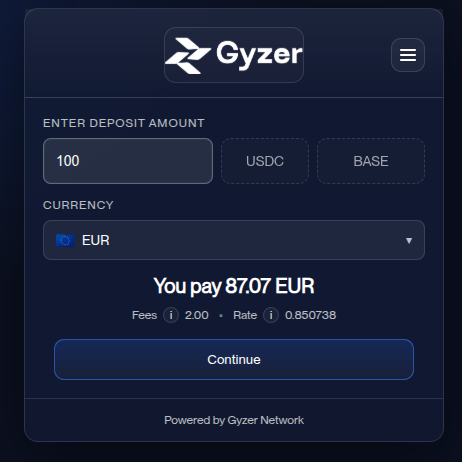
Deposit flow: user enters amount, selects currency, and completes payment via linked bank account.
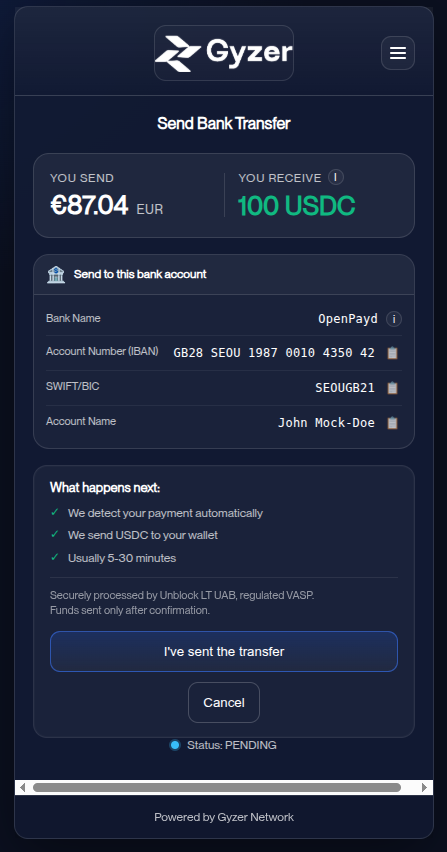
Deposit transaction: Send Bank Transfer screen with bank details (IBAN, SWIFT) and confirmation flow.
Quick Links
| Document | Description |
|---|---|
| API Reference | Partner API overview and link to online docs |
| Admin API | Full endpoint specification |
| Widget Installation Guide | Registration, activation, and integration |
| Embed Widget Guide | Embed widget integration only |
Environments
- Production:
https://partners.gyzernetwork.com/ - Staging/Sandbox:
https://partners-staging.gyzernetwork.com/(for development and testing)
Getting Started
- Register as a partner via
POST /public/partners/register(use the staging URL for testing) - Get approved by the Gyzer team and receive your API key and public key
- Integrate the widget using the Installation Guide